Top Computer Accessories to Buy in Nigeria
Whether you are a remote worker in Lagos battling "tech neck," a budding content creator in Abuja looking to improve your audio, or a gamer needing that extra edge, your setup is only as good as the accessories you pair with it.
The Nigerian tech market is flooded with options, ranging from budget-friendly "China-spec" gadgets to high-end professional tools. But how do you know what is worth the investment? We have curated a guide to the essential computer accessories available right now, based on current market listings. From pocket-friendly dongles to professional-grade webcams, here is how to upgrade your digital life.
1. The Productivity Powerhouses: Keyboards & Mice
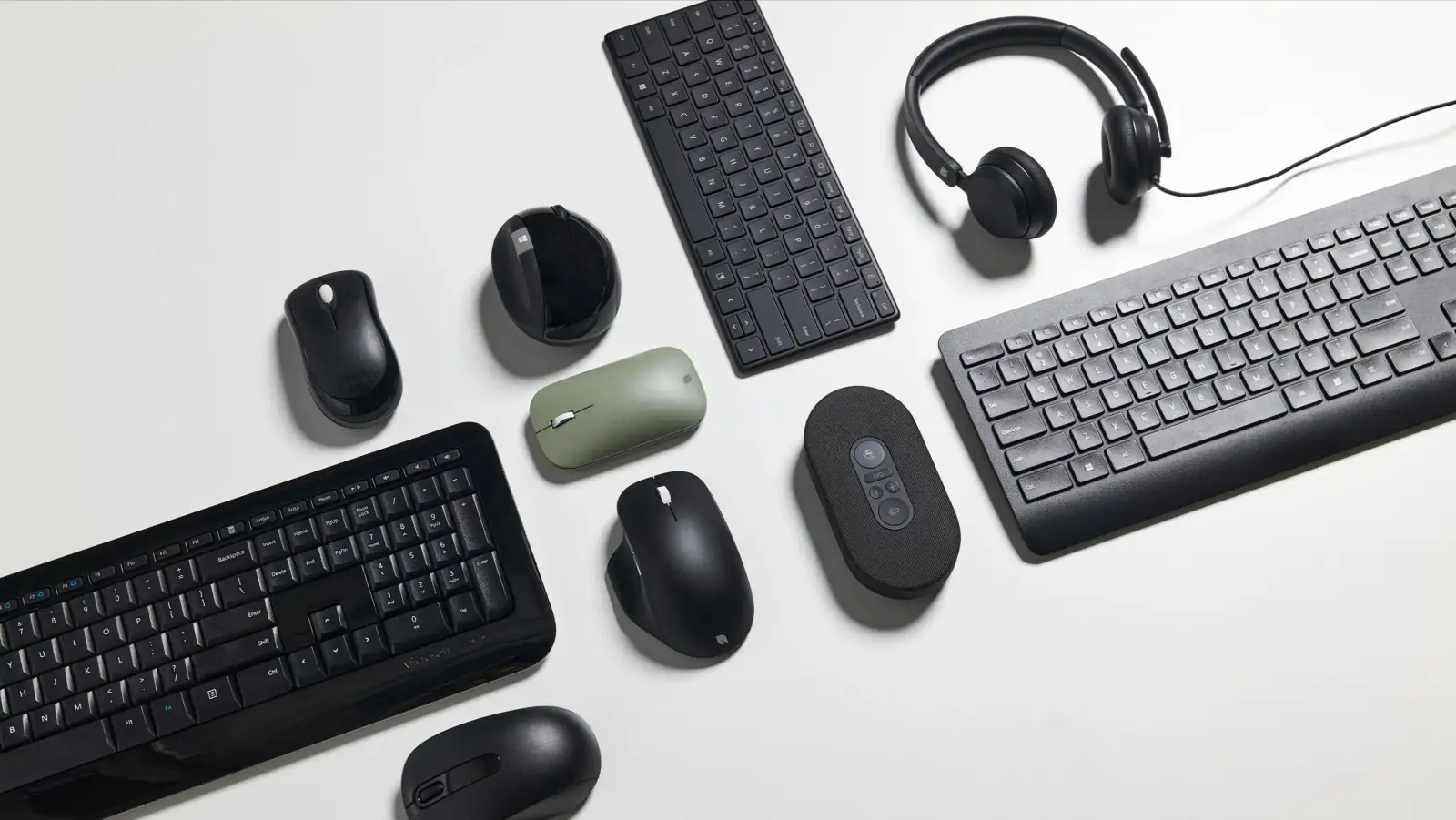
The keyboard and mouse are the tools you touch the most. If you are still using the cramped trackpad on your laptop or a cheap, mushy keyboard, you are actively hurting your productivity (and your wrists).
The "Budget vs. Premium" Debate
For the Budget-Conscious: If you just need something functional to declutter your desk, you don't need to break the bank. A standard Wireless Keyboard and Mouse Combo can be found for very budget-friendly prices. These are usually "plug-and-play" with a single USB receiver.
-
Top Pick: HAVIT KB271WB Wireless Combo (Accessible Range). Havit is a reliable mid-range brand in Nigeria that offers better build quality than the generic options without the premium price tag.
-
Entry Level: Logitech MK270 (Standard Pricing). This is the office standard. It’s durable, has decent battery life, and can survive the occasional coffee spill.
For the Pros: If you type for 8+ hours a day, premium peripherals are an investment in your health.
-
Logitech MK710 Combo (High-End Investment): This is for the serious administrator or writer. It features a cushioned palm rest and an LCD dashboard that shows battery life. It’s not just a keyboard; it’s a command center.
-
Logitech MX Master 3S (Premium Pricing): Often called "the best mouse in the world," this is essential for video editors and coders. Its electromagnetic scroll wheel allows you to scroll 1,000 lines of code in a second. Yes, the price is steep for a mouse, but for professionals, the time saved is worth every naira.
For the Gamers:
-
Raiku R905 RGB Gaming Keyboard (Budget-Friendly RGB): You don't need to spend millions to get that "gamer aesthetic." This wireless mechanical-feel keyboard comes with RGB lighting, which, as every gamer knows, scientifically improves your aim (jokes aside, backlighting is great for working at night).
2. The Content Creator’s Starter Pack
Nigeria's creator economy is booming. Whether you are streaming on Twitch or making TikTok skits, audio and video quality are what separate the amateurs from the pros.
Video: Be Seen Clearly
Laptop webcams are notoriously bad. If you are taking serious Zoom calls or streaming, you need an upgrade.
-
Entry Level 4K: Logitech Brio 90 (Mid-Range). Note: While marketed aggressively, always check if it’s "True 4K" or upscaled. For a reasonable price, this is a solid upgrade from a 720p laptop camera, offering better light correction for those dim Lagos apartments.
-
The Professional Standard: Logitech C1000e Brio 4K Pro (Professional Grade). This is the king of webcams. It supports HDR (High Dynamic Range), meaning you won't look washed out even if you have a bright window behind you. It also supports Windows Hello for face unlock security.
Audio: Be Heard
People will forgive bad video, but they will click off if your audio is bad.
-
Wireless Content Mic (Very Affordable): These are the small clip-on mics you see every skit maker using. For a low entry cost, you can get a decent "All-in-One" wireless mic that plugs into your phone or laptop. It eliminates background noise—crucial if you live near a noisy generator or a busy street.
Streaming Tools
-
Video Capture Card (Entry Level): If you want to stream your PS5 or Xbox gameplay to your PC, or use a DSLR camera as a webcam, you need a capture card. These budget cards are a steal and a perfect entry point for aspiring streamers.
3. Ergonomics: Save Your Neck
We often ignore physical comfort until our backs start hurting.
-
Laptop Stand with 360 Rotation (Standard Pricing): This is non-negotiable for laptop users. Raising your screen to eye level prevents you from hunching over. The 360-degree rotation is a nice bonus, allowing you to swivel your screen to show a colleague your work without dragging the whole laptop setup around.
4. Connectivity & Power: The Unsung Heroes
Modern laptops like MacBooks and Dell XPS are getting thinner, which often means fewer ports. This is where "dongle life" begins.
-
Type-C to HDMI Connector (Pocket-Friendly): A simple, essential tool. If you want to connect your modern laptop to a projector, TV, or external monitor, this adapter is a lifesaver.
-
HP Wireless Dock (Great Value Used): buying used can be a great hack. A brand new docking station can cost a fortune. Finding a foreign-used HP dock for a fraction of the retail price is a bargain. It allows you to connect multiple monitors, USB drives, and ethernet cables with just one connection to your laptop.
5. Maintenance & Specialized Tools
Finally, don't forget the internal health of your machine.
-
Thermal Paste (Small Investment): Is your laptop sounding like a jet engine? In Nigeria's hot climate, thermal paste dries up quickly. Re-applying high-quality paste (like Thermal Grizzly) can drop your CPU temperatures by 10-15 degrees, stopping your laptop from throttling or shutting down.
-
Double Cell Laptop Battery (Reasonable Cost): Batteries degrade over time. If you can't survive a NEPA blackout without your laptop dying instantly, this is a small price to pay for a new lease on life.
-
Fingerprint Reader (U.are.U 4500 - Specialized Cost): This is a specialized tool, often used for business security, JAMB/NIN registration centers, or developers building biometric apps. It’s a niche item, but buying it "locally used" can save you significant money compared to importing it brand new.
Conclusion
Upgrading your setup doesn't always mean buying a brand new, expensive laptop. Often, a simple laptop stand or a mechanical keyboard can completely change how you feel about your work.
Quick Buying Tips:
-
Check Condition: For expensive items like the Logitech Brio, buying "New" is safer. For docks or fingerprint readers, "Foreign Used" offers great value.
-
Verify Compatibility: Ensure that Type-C adapter actually works with your specific phone or laptop model.
-
Negotiate: Many of these prices are listed as "Negotiable." Don't be afraid to bargain!
Disclaimer: Prices vary by vendor and location. Always confirm specifications before purchasing.