Red Flags Before Buying a Used iPhone In Nigeria: The Complete Guide
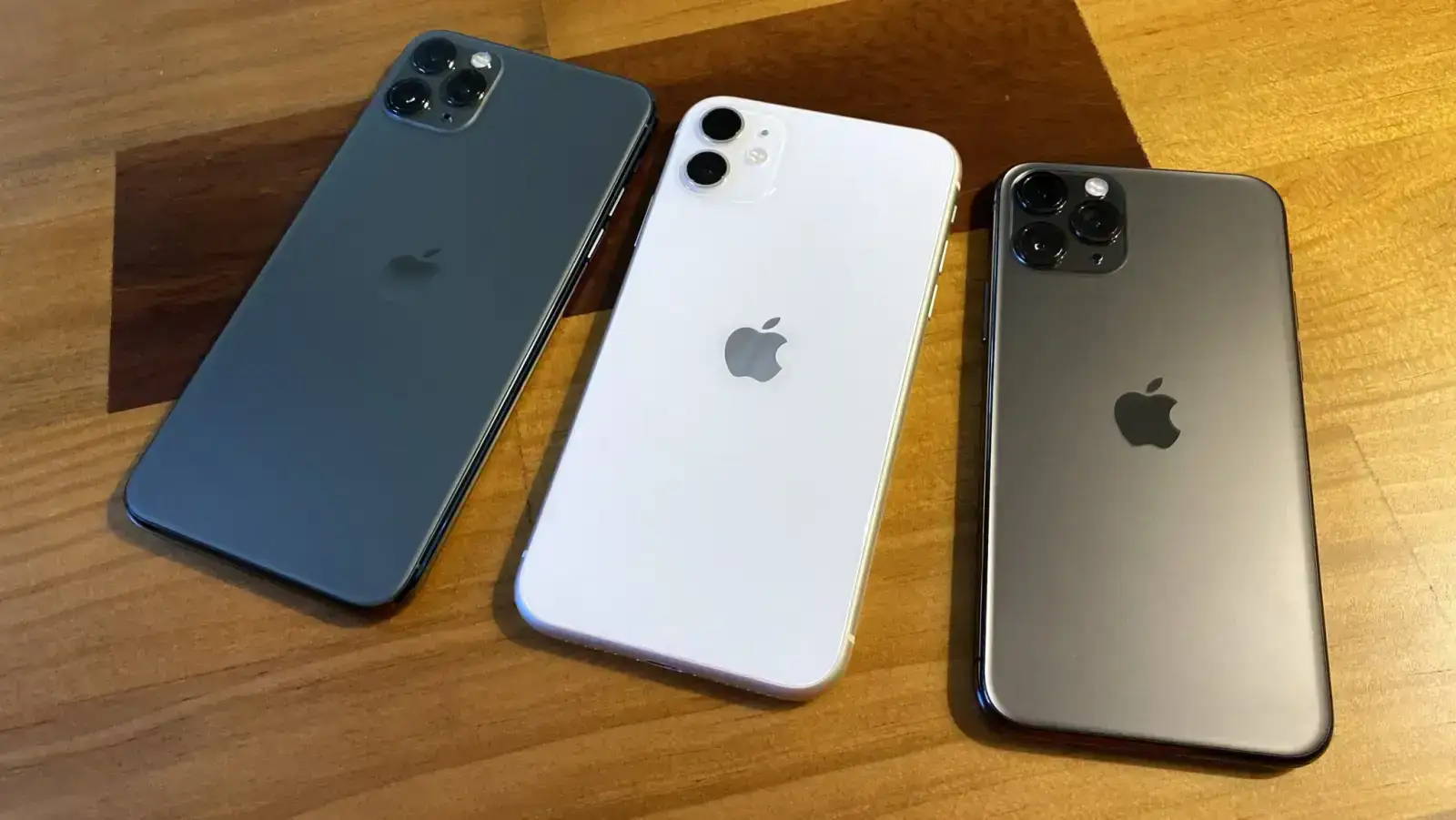
In Nigeria, the Apple iPhone remains a definitive symbol of premium technology, reliability, and status. However, with the current exchange rate pushing the cost of brand-new flagship models well over ₦1 million, the demand for "Tokunbo" (UK/Europe/US-used) and locally refurbished iPhones has skyrocketed. Consequently, bustling tech hubs like Ikeja’s Computer Village and Alaba, alongside online platforms like Instagram, WhatsApp, and Facebook Marketplace, have become heavily saturated secondary markets.
Because Apple does not operate official retail stores in Nigeria—relying instead on authorized resellers like iStore and a massive informal grey market—buyers face significant risks. This environment is fertile ground for scams involving stolen devices, iCloud-locked bricks, swapped parts, and sophisticated payment frauds. To protect your hard-earned money, identifying the red flags before buying a used iPhone in Nigeria is absolutely essential.
Here is an authoritative, step-by-step guide to the warning signs you must watch out for and the strict verification steps required before completing any transaction.
Major Red Flags to Watch Out For
If you encounter any of the following scenarios, proceed with extreme caution or walk away immediately.
1. The "Too Good to Be True" Price Tag
The most common bait used by fraudsters is an unrealistic price. If the current market value for a clean, UK-used iPhone 13 Pro is ₦800,000, and a vendor offers it for ₦450,000, it is almost certainly a trap. Scammers use drastically slashed prices to create a false sense of urgency, bypassing a buyer’s critical thinking. Extremely low prices typically indicate one of three things: the phone is stolen, it is a counterfeit device housed in genuine casing, or the listing is a complete phantom designed to steal your deposit.
2. Seller Pressure and Vague Payment Tactics
A legitimate seller will allow you the time and space to inspect a device thoroughly. Be highly suspicious of sellers who demand a "commitment fee," "waybill deposit," or full bank transfer before you have physically seen and tested the phone. In the online space, beware of the "man-in-the-middle" scam. A scammer poses as the seller, uses a legitimate delivery rider to bring the phone to you, but intercepts the payment by insisting you transfer money to a third-party account. Furthermore, if a seller refuses an in-person meetup in a safe, public location, or rejects the use of verified escrow services, cut off communication.
3. No Proof of Legitimacy or Ownership
Always ask for the original receipt, invoice, or the device's box. While many genuine used phones are sold without boxes, a seller's outright refusal to provide the IMEI or Serial Number upfront for you to run background checks is a massive red flag.
4. The Infamous "Carton Swap" and Physical Deception
If you are buying in person at popular markets, beware of sleight-of-hand tricks like the "carton swap." The seller presents a pristine, factory-sealed iPhone box. Once you pay and break the seal, you find a damaged phone, an older model, or a dummy weight inside. Never pay for a "sealed" used phone without the explicit agreement that you will open and test the device in the seller's presence. Additionally, watch out for poor build quality, rattling parts, or mismatched colors, which indicate unauthorized, low-quality refurbishments.
5. iCloud and Activation Lock Evasion
An iPhone is practically worthless if it is tethered to someone else's Apple ID. A seller claiming they will "unlock it later" or that the phone just needs a "software bypass" is one of the biggest red flags before buying a used iPhone in Nigeria. Never accept these excuses; an Activation Lock usually means the phone is stolen.
6. Hardware Anomalies: True Tone, Face ID, and Battery Health
Many used iPhones have undergone unauthorized part replacements.
-
The Screen: Swipe down to the Control Center, long-press the brightness slider, and look for the "True Tone" icon. If missing, the screen has likely been replaced with a cheap aftermarket panel.
-
Face ID: Always set up Face ID during inspection. If the seller claims it is "just dirty" or "needs an update," the TrueDepth camera is broken—an incredibly expensive repair.
-
Battery Health: While health above 85% is ideal, be wary of older models (like an iPhone 11) showing 100% health. Unscrupulous technicians use hardware tools to artificially boost battery health percentages to deceive buyers.
Essential Verification Steps (Do These Before Paying)
Spotting the red flags is only half the battle. You must actively verify the device using these steps:
1. Critical IMEI and Blacklist Check
The International Mobile Equipment Identity (IMEI) is a phone’s unique fingerprint. Dial *#06# to display the 15-digit number. First, ensure this number matches the IMEI in Settings > General > About, the SIM tray, and the physical box. Next, run the IMEI through free checkers like imei.info or the GSMA device registry. This confirms if the phone has been reported lost or stolen abroad. Be aware that the Nigerian Communications Commission (NCC) uses a Device Management System to block stolen devices on local networks (MTN, Airtel, Glo). Buying a blacklisted phone means it will not make calls.
2. Verify iCloud Status
Navigate to Settings > [Your Name] to ensure no account is logged in. The ultimate test is to perform a full factory reset in the seller's presence. Once the phone reboots, it should take you straight to the standard "Hello" setup screen without asking for a previous owner's email and password.
3. Comprehensive Functional Inspection
Test the physical hardware rigorously. Connect to public Wi-Fi or insert your SIM to test network connectivity. Check the cameras, microphone, speakers, charging port, and volume buttons. Finally, verify the serial number on Apple's official coverage page (support.apple.com) to confirm the exact model and warranty status.
Online vs. In-Person Buying Strategies
Navigating the used iPhone market requires specific strategies based on your purchasing avenue.
Buying Online: The risk of non-delivery and payment fraud is at its peak on social media and classifieds. Do not trust a vendor just because they have high followers. Insist on live video calls to see the device, and only pay using reputable escrow services where your funds are held until you confirm receipt. For a much safer online shopping experience with vetted listings, it is highly recommended to browse the Apple mobile phones category on Marketplace Naija, where transparency and seller accountability are strictly prioritized.
Buying In-Person: Avoid rushed, roadside deals. Conduct business inside established physical shops where the vendor has a permanent footprint. Bring a knowledgeable friend, take your time with the inspection checklist, and demand a physical receipt detailing the shop’s information, the date, your name, and the phone's IMEI.
Legal Risks and What to Do If Scammed
Buying knowingly stolen goods carries legal risks in Nigeria, including potential confiscation by law enforcement. If you fall victim to a scam, keep all records (chat logs, bank transfer receipts, IMEI numbers). Report the incident to your bank immediately to attempt a transaction reversal, and file formal complaints with the police or EFCC. While recovery is difficult, documented evidence is your best tool.
Conclusion
Purchasing a used Apple device does not have to be a gamble. Ignoring the red flags before buying a used iPhone in Nigeria is a costly mistake that often ends in financial loss and frustration. By maintaining a healthy skepticism regarding low prices, avoiding high-pressure vendors, and rigorously checking the IMEI, iCloud status, and hardware integrity, you can safely secure a premium device at a fraction of the retail cost.
Take your time, refuse to be pressured, and prioritize platforms that value buyer security. Start your search safely by exploring verified tech deals at Marketplace Naija, your trusted hub for connecting with legitimate buyers and sellers across the country.