How to Know a Refurbished iPhone Before Buying
Buying an iPhone in 2026 doesn't always mean paying the premium price for a factory-sealed box. With the rising cost of new tech and a growing push for eco-friendly choices, purchasing a refurbished iPhone has become one of the smartest financial decisions you can make.
However, the second-hand market can be a minefield. Many buyers get scammed into buying heavily used, damaged, or poorly repaired devices disguised as "professionally refurbished."
At Marketplace Naija, we believe in empowering our users. Before you hand over your hard-earned money, you need to know exactly what you are buying. Here is our authoritative 2026 guide on how to identify a genuine refurbished iPhone, check its health, and avoid costly scams.
Refurbished vs. Used vs. New
Before diving into the technical checks, it is crucial to understand that not all second-hand phones are created equal.
-
New (Retail): These are factory-sealed, untouched devices with a full original Apple warranty. They carry the highest price tag and the longest runway for software support.
-
Apple Certified Refurbished: This is the gold standard. These are previously owned devices that Apple has officially inspected, fully tested, and repaired using genuine parts. They come with a brand new battery and a new outer shell, are packaged in a plain white box, and include a 1-year Apple warranty.
-
Third-Party Refurbished (or "Renewed"): These are tested and repaired by professional sellers or platforms (like Amazon Renewed or trusted local vendors). They are usually graded by condition (Excellent, Good, Fair) and are much cheaper than Apple Certified units. However, they may use aftermarket parts, and battery health usually sits around 80% to 90%.
-
Used / Pre-owned: Sold "as-is" by individuals. There are no professional testing guarantees, making this the highest-risk option.
How to Verify a Refurbished iPhone (The Core Checks)
If a vendor hands you an iPhone, you can verify its exact origin in less than a minute using the device's internal settings.
Check the Model Number Prefix
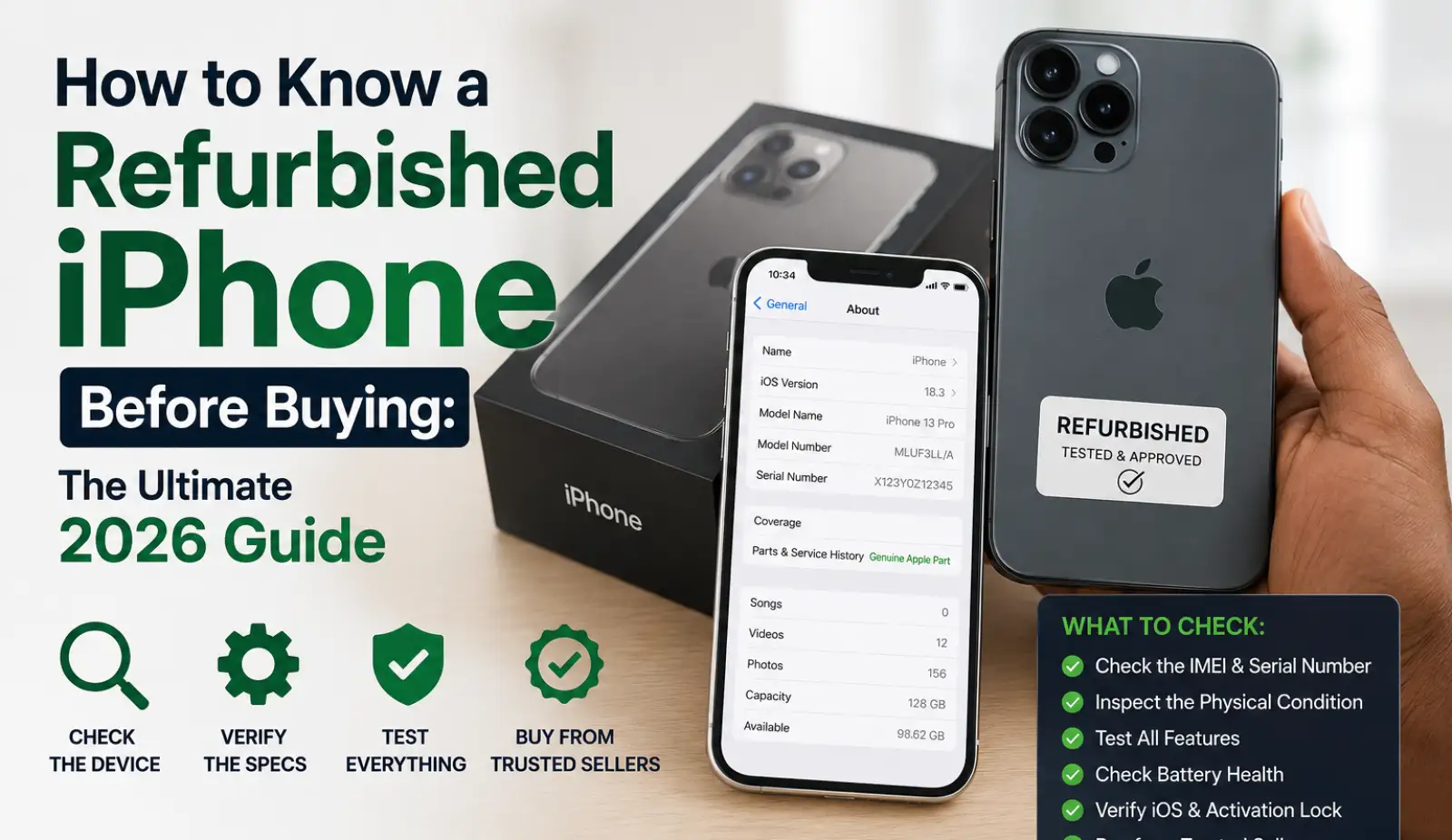
This is the quickest way to reveal an iPhone's history. Go to Settings > General > About and look at the Model Number. Pay attention to the first letter:
-
M: Brand New device.
-
F: Refurbished device (by Apple or an authorized carrier).
-
N: Replacement device (issued by Apple for a warranty claim; quality is identical to refurbished).
-
P: Personalized device (originally bought with custom engraving).
Verify the Serial Number and Warranty
Dial *#06# on the keypad to reveal the device’s unique IMEI and Serial Number. Next, visit Apple’s official verification portal at checkcoverage.apple.com.
Entering the serial number here will validate the phone's model, purchase date, remaining warranty, and activation status. If the site flags an issue, or if the details do not match the phone in your hand, walk away.
Check Parts and Service History
Since iOS 15.2, Apple has made it incredibly easy to see if a phone has been repaired. Navigate to Settings > General > About.
If the phone has had repairs, a "Parts and Service History" section will appear. It will tell you if components like the battery, display, or camera were replaced. If it says "Genuine Apple Part," you are in safe hands. If it says "Unknown Part," the phone was repaired using unofficial, third-party components, which can affect features like True Tone, water resistance, or battery reporting.
Inspect Battery Health
Never buy a refurbished iPhone without checking this. Go to Settings > Battery > Battery Health & Charging.
-
100%: Standard for Apple Certified Refurbished (since they install new batteries).
-
85% - 95%: Acceptable for third-party refurbished or high-quality used phones.
-
Below 80%: The battery is significantly degraded. The phone will drain quickly, and Apple's performance management may throttle the device's speed.
Physical and Functional Inspection Checklist
Even if the software checks out, you must perform a rigorous physical inspection. Don't let a shiny screen distract you from hidden flaws.
-
The Exterior: Remove the phone case. Look closely for gaps or misalignments between the screen and the frame, or visible glue/sealant—these are massive red flags of a cheap, unauthorized repair.
-
The Display: Test for dead pixels by pulling up a completely white image. Check the brightness slider and ensure True Tone is functioning (if the phone supports it).
-
Biometrics: Register your face for Face ID (or fingerprint for Touch ID) to ensure the sensors are fully functional. Broken biometrics are very expensive to fix.
-
Audio & Cameras: Record a quick Voice Memo to test the microphone. Play a ringtone loudly to check for speaker distortion. Open the camera, test all lenses, and make sure the autofocus works without shaking.
The Biggest Red Flags & Scams to Avoid
The used phone market has its fair share of bad actors. Keep your eyes peeled for these absolute deal-breakers:
-
Activation Lock (The Ultimate Deal-Breaker): If you turn the phone on and see an "iPhone Locked to Owner" screen, do not buy it. It is permanently locked to someone else's iCloud account and is entirely useless to you. Always insist the seller wipes the phone and lets you set it up to the home screen.
-
Too Good to Be True Prices: If a vendor is selling a "pristine" iPhone 13 Pro for the price of an iPhone 8, it is a scam. It is likely a dummy phone, stolen, or has severe motherboard damage.
-
"No Testing Allowed": If a seller rushes you, refuses to let you connect to Wi-Fi, or won't let you check the IMEI, take your money elsewhere.
Pros and Cons of Buying Refurbished
The Pros:
-
Massive financial savings (often 15% to 60% off the retail price).
-
Rigorous testing and warranties (if bought from a professional refurbisher).
-
Eco-friendly choice that reduces electronic waste.
The Cons/Risks:
-
Potential for minor cosmetic wear and tear.
-
Risk of non-genuine replacement parts if buying from unverified third parties.
-
Slightly shorter remaining software lifespan compared to buying the latest new release.
Shop Smart and Safe
Buying a refurbished iPhone is a fantastic way to enjoy premium Apple technology without draining your bank account. By checking the model number prefix, verifying the battery health, and looking out for unauthorized parts, you can confidently secure a high-quality device.
Always prioritize sellers who offer a clear return window and a solid warranty. Ready to upgrade? Browse trusted, verified listings and find the best deals on Apple iPhones today on Marketplace Naija!